Speeding up city procurement approvals without touching the rules
When a city purchase order takes six weeks, the procurement code gets the blame. The code sets thresholds. It doesn’t decide how long a request sits in someone’s inbox.
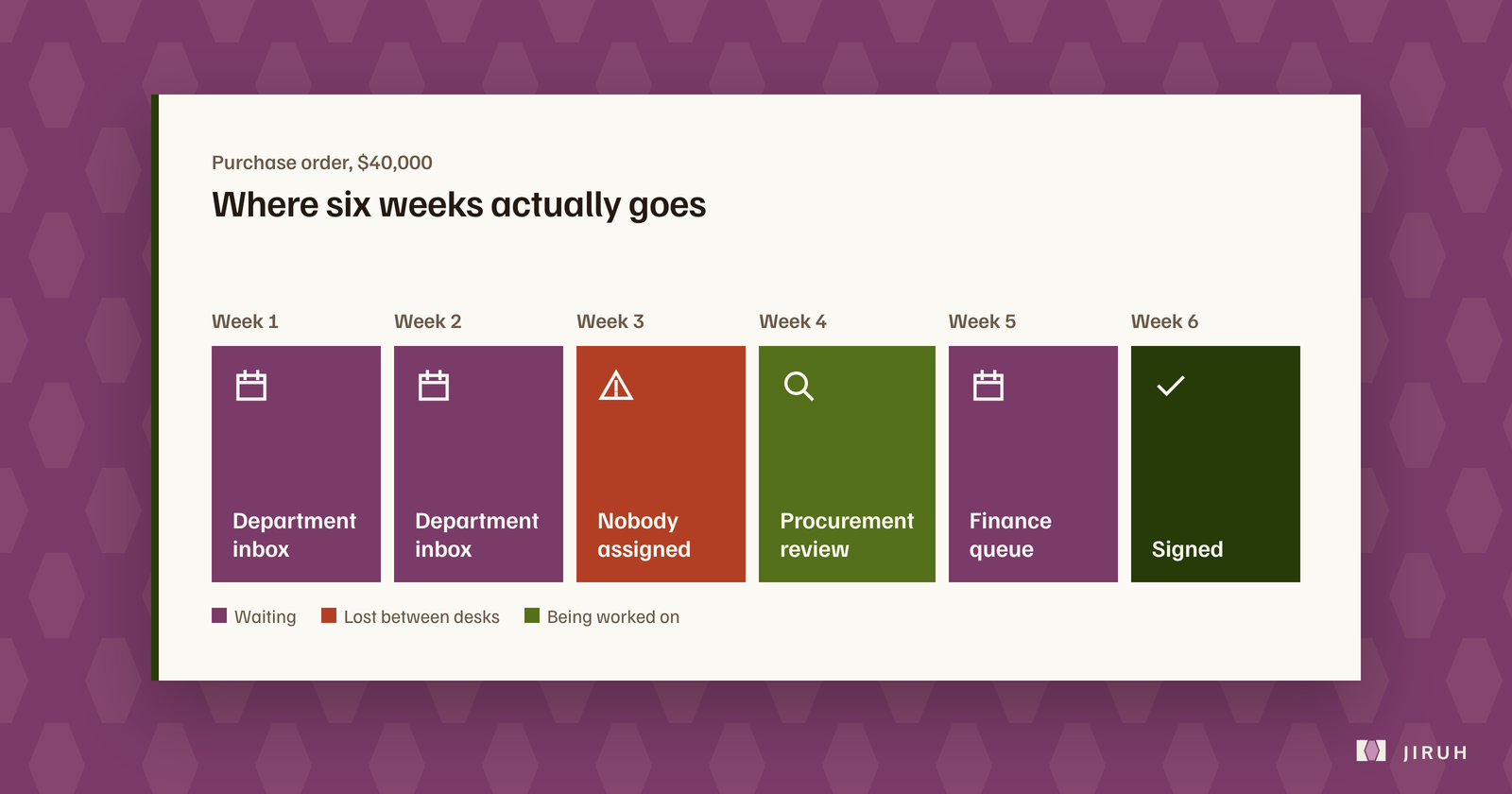
Talk to anyone in city government about purchasing and you’ll hear the same complaint: it takes forever, and the rules are why.
The rules aren’t why. A procurement code decides who has to approve what. It says nothing about the four days a requisition sits with the department head before anyone opens it, or the three days it waits at the budget office after that. That waiting is where the six weeks goes, and you can cut most of it without changing a single threshold.
Follow one purchase order
Take a fairly ordinary $40,000 order. It needs the department head, then a budget check, then the finance director. Three reviews, and each one takes well under an hour.
Now add up the gaps. The department head doesn’t know it’s waiting. The budget office gets it in a shared mailbox with forty other things. The finance director is out on Thursday and Friday. Each handoff adds days, and none of those days involve anyone disagreeing with the purchase.
If something gets rejected and sent back for a correction, the whole relay starts again from the top.
Draw the routing map from decisions, not the org chart
The most common mistake when cities set up automated routing is copying the org chart. The org chart says parks reports to the deputy city manager. That doesn’t mean the deputy city manager needs to see every parks purchase order. Most of them are well under the threshold that needs that signature.
Build the map from who actually changes outcomes. That takes a week of conversations, not a software evaluation. Sit with each approver and ask them straight: of the last twenty requests you saw, how many did you push back on? If the answer is one, that step either moves later in the chain or comes out of it.
What to change first
Start with your highest-volume requisition type, not your biggest-ticket one. Mid-value orders that go through the same four desks dozens of times a month are where a routing fix pays back fastest.
For that one type, write down which role reviews at each step, give each step a maximum number of working days, and name a backup for every approver. Then turn on the routing.
Add one more rule: if the primary reviewer hasn’t acted within the limit, the request goes to the backup automatically. That single escalation rule usually recovers more time than anything else on this list, because nobody can quietly ignore it any more.
Leave the thresholds for last
Once routing is working, look at the approval thresholds again. A lot of finance directors find they don’t need to change them much after all. Most of the time they thought they’d recover by raising thresholds, they’ve already got back by getting the waiting out of the relay.
There’s a longer version of this argument, not specific to cities, in where approvals actually get stuck.